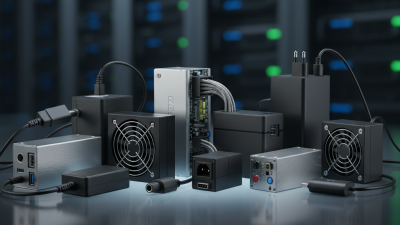
How to Choose the Right Power Supply for Your Needs?
Choosing the right power supply is crucial for any electrical project or device. A good power supply ensures efficient performance and longevity. When selecting a power supply, consider factors like voltage, current, and power rating. An inadequate power supply can lead to device failure or inefficiencies.
Understanding the specifications is vital. You need to match the requirements of your devices accurately. An underpowered supply may cause malfunctions. Conversely, an excessive power supply might result in wasted energy and increased heat. Researching various models can feel overwhelming, yet it is necessary.
You may find it tempting to choose the cheapest option. However, this decision often leads to regret. A reliable power supply is an investment in your device's performance. Make informed choices. Seek expert reviews and recommendations. Aim for a balance between cost and quality. Your project deserves the best power supply possible.
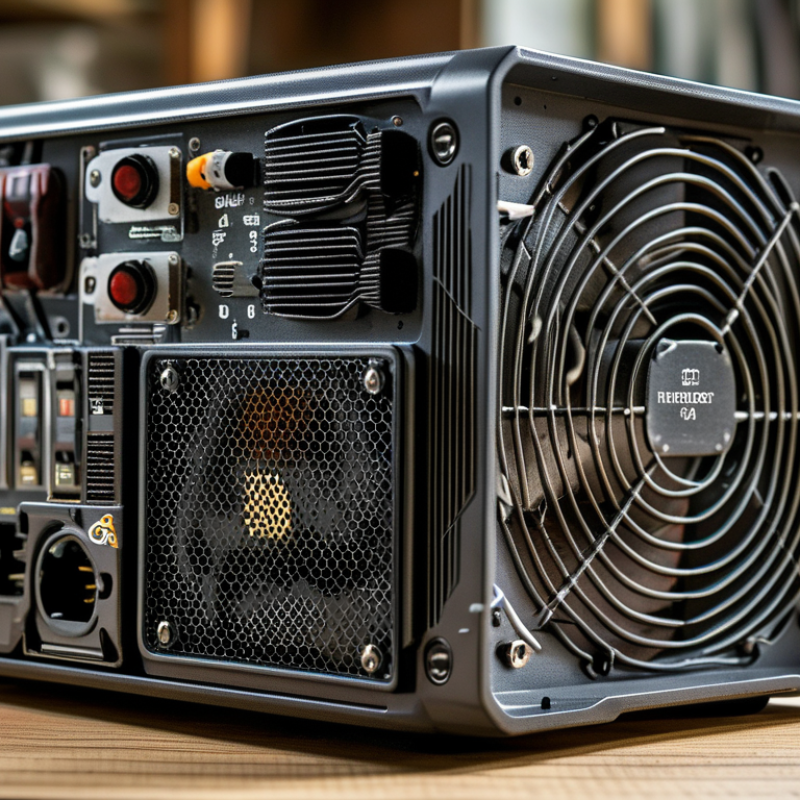
Understanding Power Supply Basics and Terminology
When selecting a power supply, understanding its basics and terminology is crucial. A power supply converts electrical energy to operate your devices. Key terms include wattage, voltage, and amperage. Wattage indicates the total power a device consumes. It's essential to choose a power supply that can deliver sufficient wattage for your needs.
Voltage refers to the electrical potential difference. It's important to match the voltage of the power supply with your device. Using the wrong voltage can damage equipment. Amperage, or current, describes the flow of electricity. A power supply must provide enough amps to support connected devices.
Many users overlook the importance of quality. A poor power supply can lead to issues like overheating or instability. It's wise to consider an efficient unit. Efficiency ratings indicate how much energy is wasted. If a unit is less efficient, it costs more in the long run. Reflecting on these details can lead to better decisions. Understanding fundamentals can mitigate risks and ensure reliability.
How to Choose the Right Power Supply for Your Needs?
| Parameter |
Description |
Recommended Value |
| Wattage |
The total power output required to run your components |
At least 20% more than total component requirements |
| Efficiency Rating |
How effectively the power supply converts AC into DC |
80 Plus certification or higher |
| Form Factor |
Physical size and shape of the power supply |
ATX, SFX, or other based on your case |
| Connections |
Cables and connectors available for your components |
Sufficient connectors for GPU, HDD, and motherboard |
| Protection Features |
Safety mechanisms to prevent damage |
Over Voltage, Over Current, Short Circuit protection |
Identifying Your Power Needs: Wattage and Voltage Requirements
When choosing a power supply, it’s crucial to identify your wattage and voltage requirements. The right supply can enhance performance and efficiency. According to industry research, underestimating wattage needs can lead to system instability. For instance, a typical gaming PC might require around 500-600 watts. However, high-performance setups can demand 850 watts or more. Always factor in future upgrades when estimating power needs.
Voltage requirements depend on the components used. Most systems operate on 12 volts, but some may require additional lower voltages, like 5V or 3.3V for certain hardware. Not all power supplies deliver the necessary voltage levels efficiently. Ensure that your chosen supply can provide stable and consistent voltage to avoid component failure.
**Tips:** Calculate the total wattage by adding up the requirements of all components. Don’t overlook the PSU’s efficiency rating; a higher rating can save energy costs in the long run. Always consider extra capacity. Having a power supply that exceeds your needs can provide headroom for upgrades and ensure stable performance during peak loads.
Power Supply Wattage and Voltage Requirements
Evaluating Power Supply Types: ATX, SFX, and More
Choosing the right power supply for your system requires understanding the various types available. Two common standards are ATX and SFX.
ATX power supplies have a larger form factor. They are typically favored in full-sized cases, offering numerous connectors and higher wattage. This can support gaming rigs or high-performance workstations well.
On the other hand, SFX power supplies are compact.
Their smaller size makes them suitable for mini-ITX builds. They often come with a slightly lower wattage, which can limit performance for demanding tasks. However, many users find their space-saving design beneficial in tight setups. It's crucial to assess your components’ power needs before choosing.
There’s no one-size-fits-all solution. Some users overlook proper wattage. This oversight can lead to system instability. It's important to plan and calculate your total power demand. Remember, an underpowered supply can cause crashes. A thoughtful evaluation will help avoid these pitfalls.
Considering Efficiency Ratings and Certifications
When selecting a power supply, efficiency ratings and certifications play a crucial role. Higher efficiency means less energy consumption. For example, a power supply that is 80% efficient uses less energy than one that is 70% efficient. This directly influences utility bills and contributes to environmental sustainability.
Look for certifications like 80 PLUS. These denote efficiency at various loads. An 80 PLUS Gold certified power supply, for instance, is at least 90% efficient at 50% load. This data matters in long-term cost benefits. Industry reports indicate that using certified supplies can save consumers up to $50 annually on electricity.
However, it's not just about numbers. Sometimes, more efficiency can lead to higher upfront costs. Balancing performance with budget is key. Buyers should carefully assess needs versus potential energy savings. Over time, these decisions impact not only finances but also energy consumption patterns. The landscape is complex, and each choice warrants reflection.
Assessing Compatibility with Your System Components
When choosing a power supply, compatibility with your system components is essential. Start by determining the wattage required by your CPU and GPU. These components consume varying amounts of power under load. For instance, high-end graphics cards can demand more than 300 watts. Ensure your power supply can handle this.
Next, check the connector types. Motherboards typically require a 24-pin connector, while CPUs may need 4 or 8-pin connectors. Your graphics card might also demand special PCIe connectors. Failing to match these can lead to system instability. It's important to pay attention to these details.
Another aspect often overlooked is efficiency certification. Look for a power supply with an 80 Plus rating. These models waste less energy as heat, improving performance in the long run. However, even high-rated supplies can vary in quality. Not all certified models deliver the same reliability or longevity. Choosing the right power supply is not just about numbers; it requires careful consideration of your specific needs.